

Android APK (1.3.0)
Direct APK download.
iOS TestFlight
Join the iOS beta on TestFlight.
Both apps are still in beta. Reach out on Discord to get access.
What you can do with it
- Drive and control — joystick base driving with Slow/Med/Fast/Mad speed modes, plus head and arm control
- Leader arm teleoperation — attach the leader arm to your phone over USB-C for direct arm control
- Train manipulation skills — record episodes, launch cloud training runs, and deploy trained skills end to end
- Navigation — map-free navigation, mapping mode, and go-to mode with trajectory visualization
- Agents and skills — start and stop agents from the home screen, and trigger skills directly with input validation and live feedback
- Recording — capture robot sessions with native iOS/Android video, then share or export with metadata
Connecting to a robot
The app connects to your robot over Wi-Fi — including your phone’s hotspot. The first time, it walks you through an onboarding flow:- Bluetooth pairing — the app discovers your robot over Bluetooth Low Energy (BLE) to configure its network settings
- Wi-Fi configuration — tell the robot which network to join
- Connection — once you’re both on the same network, the app connects over Wi-Fi
.local suffix (e.g. mars-robot.local), so the connection survives an IP address change.
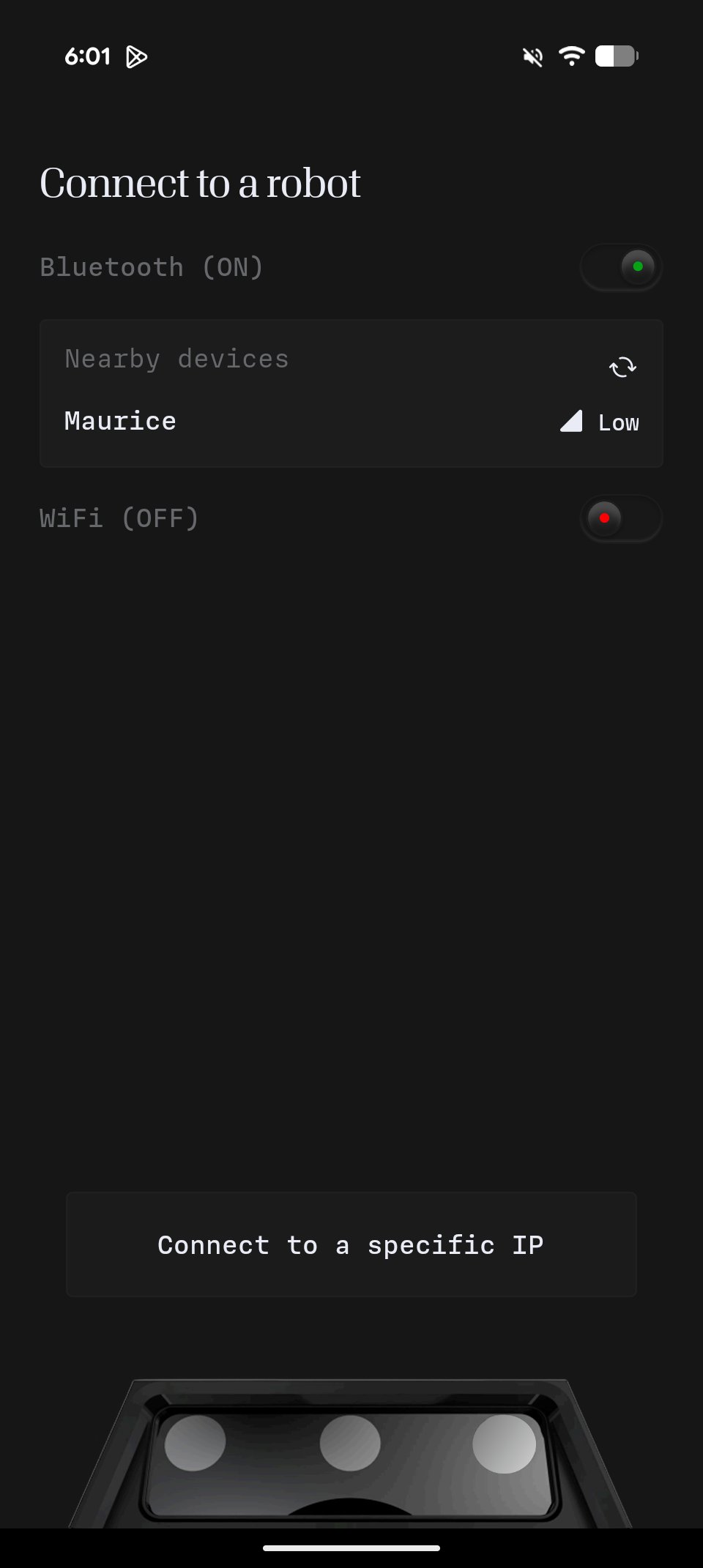
Press on the robot when it appears to connect via bluetooth
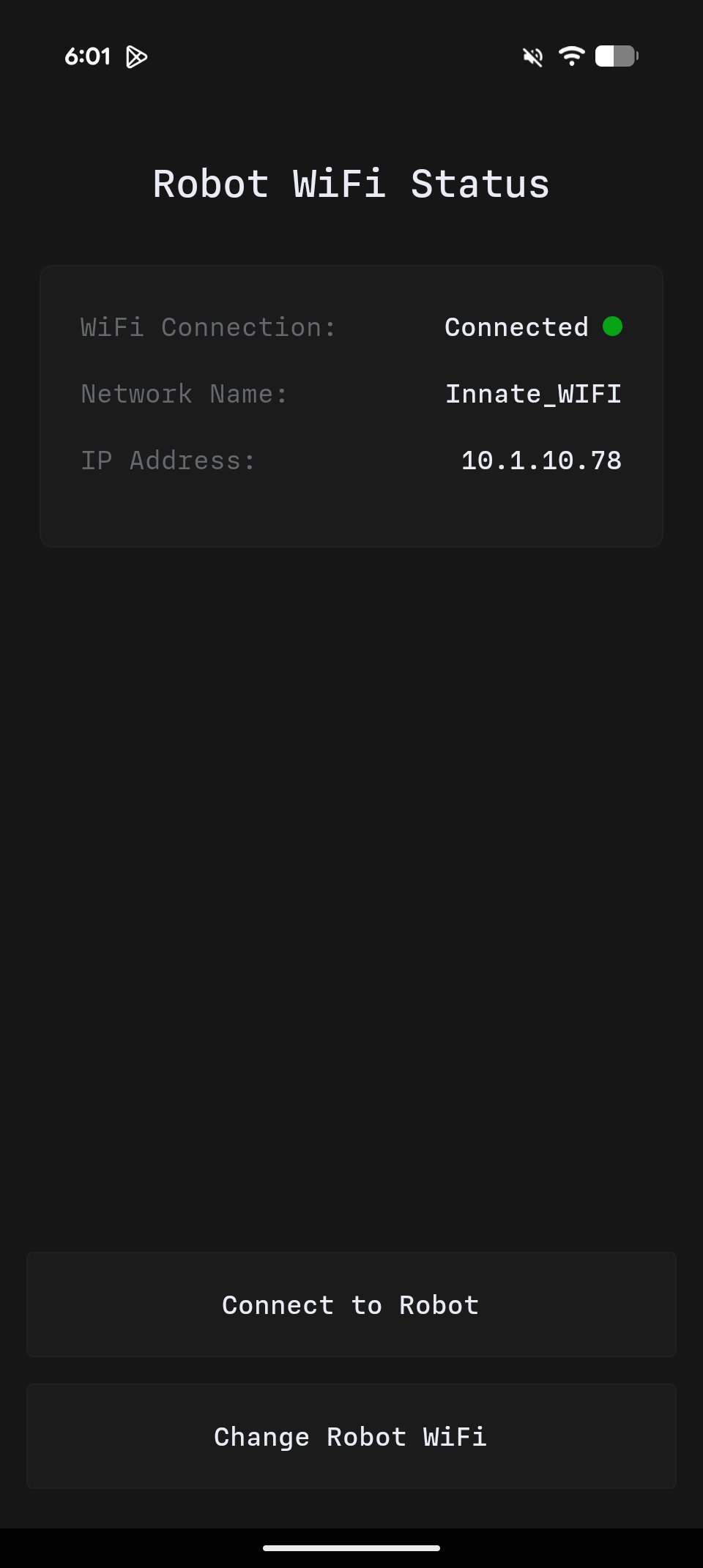
If it's already on the same network than your phone, you can connect
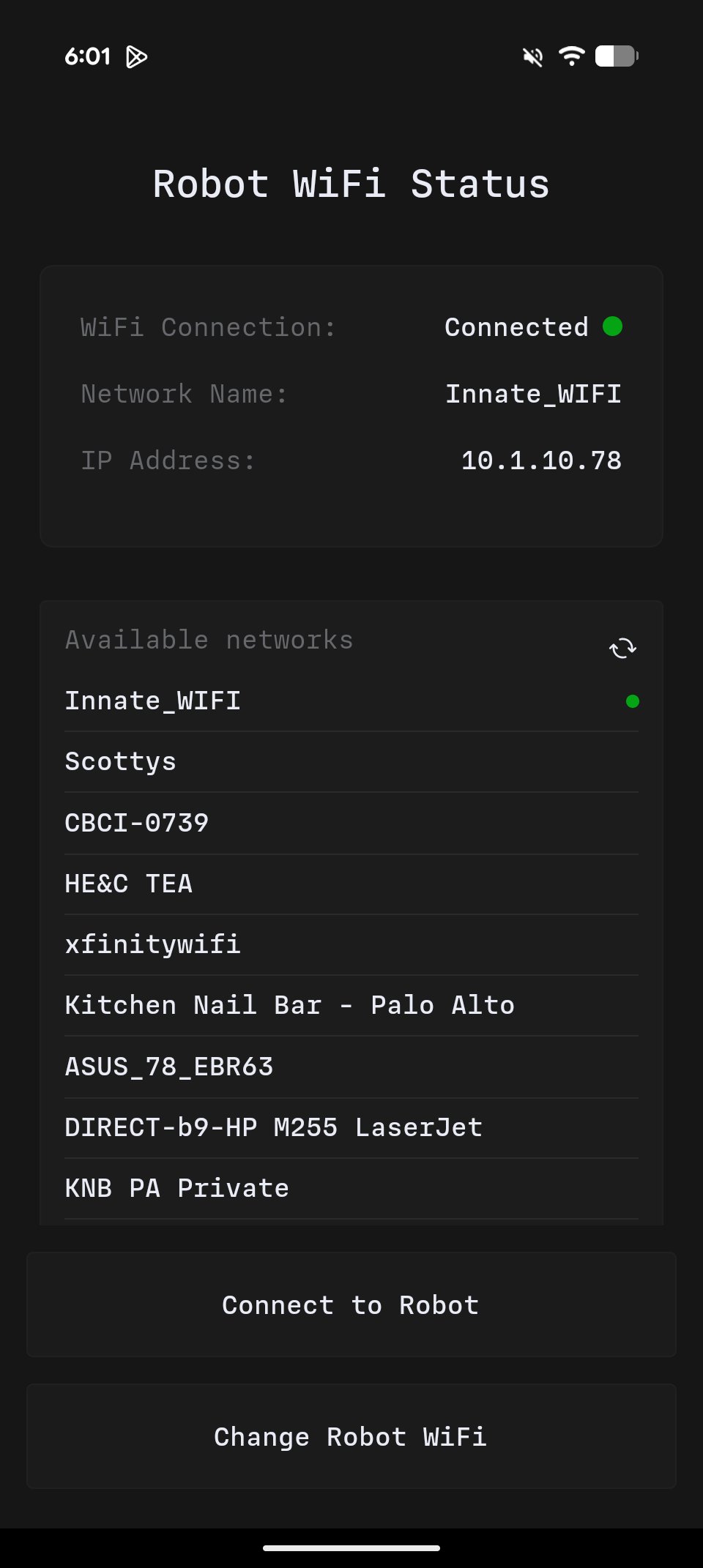
Otherwise, select "Change Robot WiFi" to pick another network to connect it to
Current versions
As of August 2026:MARS OS0.7.0Controller App1.3.0